> For the complete documentation index, see [llms.txt](https://ravins-organization.gitbook.io/ctf-writeups/llms.txt). Markdown versions of documentation pages are available by appending `.md` to page URLs; this page is available as [Markdown](https://ravins-organization.gitbook.io/ctf-writeups/2024/huntress-ctf-2024/warmups/matryoshkaqr.md).
# MatryoshkaQR
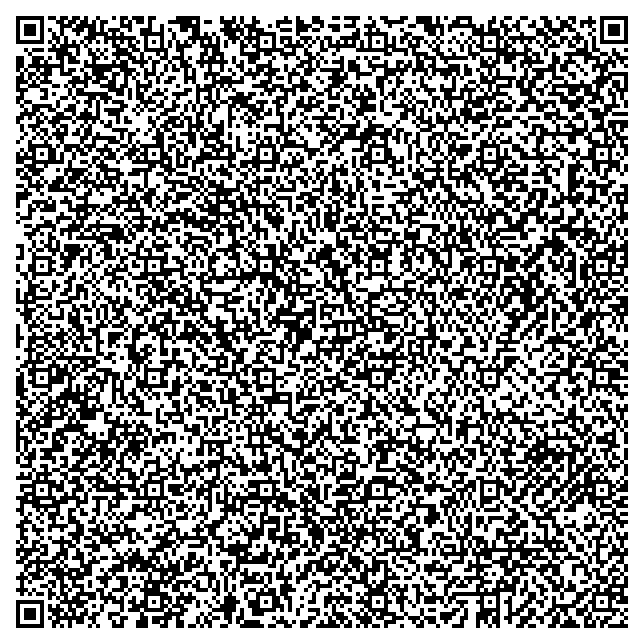
Author: @JohnHammond Wow! This is a big QR code! I wonder what it says...?
The file given
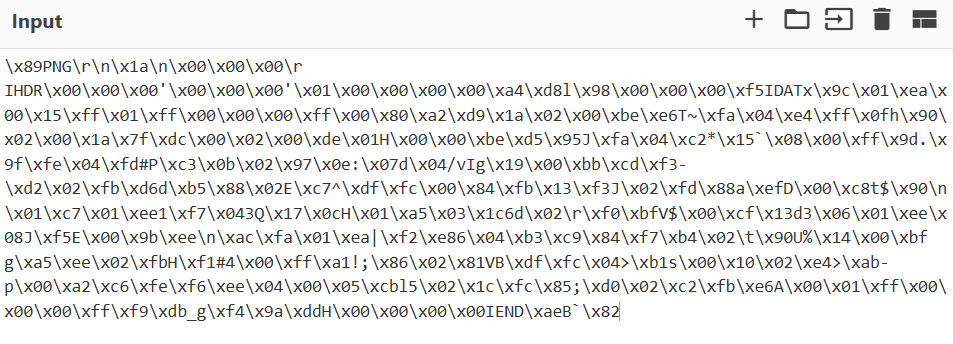
By scanning the qr code, and putting the result we get into cyberchef, we see that
Value of the QR Code
As we can see, the file might be a png file, but we will have to construct this into an actual PNG given the hex data. Using the following script,
```python
png_hex_data = (
b'\x89PNG\r\n\x1a\n\x00\x00\x00\rIHDR\x00\x00\x00\'\x00\x00\x00\'\x01\x00'
b'\x00\x00\x00\xa4\xd8l\x98\x00\x00\x00\xf5IDATx\x9c\x01\xea\x00\x15\xff'
b'\x01\xff\x00\x00\x00\xff\x00\x80\xa2\xd9\x1a\x02\x00\xbe\xe6T~\xfa\x04'
b'\xe4\xff\x0fh\x90\x02\x00\x1a\x7f\xdc\x00\x02\x00\xde\x01H\x00\x00\xbe'
b'\xd5\x95J\xfa\x04\xc2*\x15`\x08\x00\xff\x9d.\x9f\xfe\x04\xfd#P\xc3\x0b'
b'\x02\x97\x0e:\x07d\x04/vIg\x19\x00\xbb\xcd\xf3-\xd2\x02\xfb\xd6d\xb5'
b'\x88\x02E\xc7^\xdf\xfc\x00\x84\xfb\x13\xf3J\x02\xfd\x88a\xefD\x00\xc8'
b'\x74$\x90\n\x01\xc7\x01\xee1\xf7\x043Q\x17\x0cH\x01\xa5\x03\x1c6d\x02'
b'\r\xf0\xbfV$\x00\xcf\x13d3\x06\x01\xee\x08J\xf5E\x00\x9b\xee\n\xac\xfa'
b'\x01\xea|\xf2\xe86\x04\xb3\xc9\x84\xf7\xb4\x02\t\x90U%\x14\x00\xbf g'
b'\xa5\xee\x02\xfbH\xf1#4\x00\xff\xa1!;\x86\x02\x81VB\xdf\xfc\x04>\xb1s'
b'\x00\x10\x02\xe4>\xab-p\x00\xa2\xc6\xfe\xf6\xee\x04\x00\x05\xcbl5\x02'
b'\x1c\xfc\x85;\xd0\x02\xc2\xfb\xe6A\x00\x01\xff\x00\x00\x00\xff\xf9\xdb'
b'_g\xf4\x9a\xddH\x00\x00\x00\x00IEND\xaeB`\x82'
)
file_path = '/mnt/data/corrupted_image.png'
with open(file_path, 'wb') as f:
f.write(png_hex_data)
file_path
```
We can get an image back, which looks something like this
(yes it is very small)
By scanning it, we get the flag, `flag{01c6e24c48f48856ee3adcca00f86e9b}`