> For the complete documentation index, see [llms.txt](https://ravins-organization.gitbook.io/ctf-writeups/llms.txt). Markdown versions of documentation pages are available by appending `.md` to page URLs; this page is available as [Markdown](https://ravins-organization.gitbook.io/ctf-writeups/2024/picoctf-2024/forensics/blast-from-the-past.md).
# Blast From The Past
https\://play.picoctf.org/practice/challenge/432?originalEvent=73\&page=3
**Description**
The judge for these pictures is a real fan of antiques. Can you age this photo to the specifications? Set the timestamps on this picture to `1970:01:01 00:00:00.001+00:00` with as much precision as possible for each timestamp. In this example, `+00:00` is a timezone adjustment. Any timezone is acceptable as long as the time is equivalent. As an example, this timestamp is acceptable as well: `1969:12:31 19:00:00.001-05:00`. For timestamps without a timezone adjustment, put them in GMT time (+00:00). The checker program provides the timestamp needed for each. Use this [picture](https://artifacts.picoctf.net/c_mimas/90/original.jpg).
Additional details will be available after launching your challenge instance.
So first, I tried using exiftool, to change all the timestamps of the picture with the following command,
```sh
exiftool -AllDates="1970:01:01 00:00:00.001" -overwrite_original -SubSecDateTimeOriginal="1970:01:01 00:00:00.001" -SubSecCreateDate="1970:01:01 00:00:00.001" -SubSecModifyDate="1970:01:01 00:00:00.001" original_modified.jpg
```
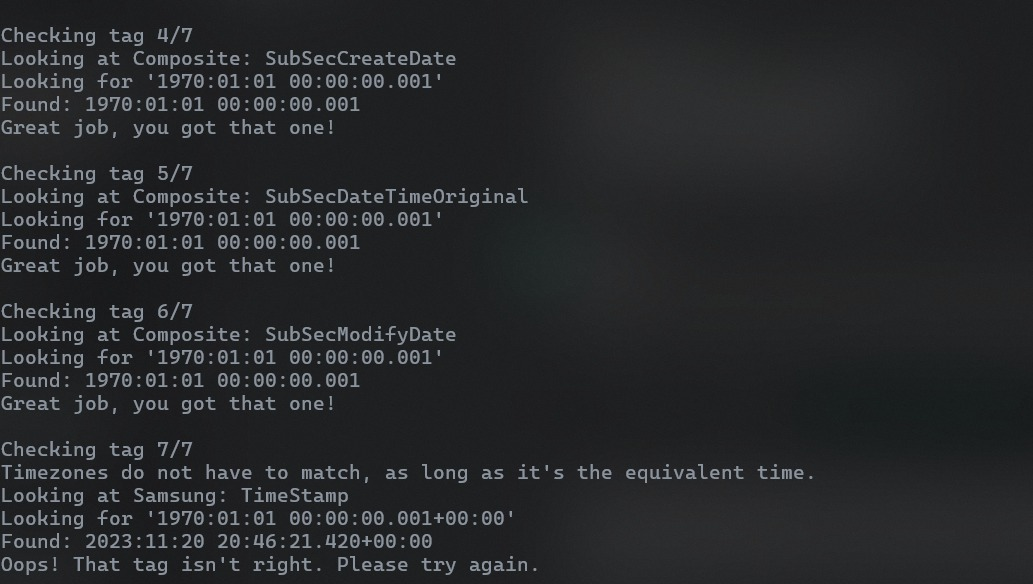
When I checked if the image was correct, I received
The final tag failed as the Samsung timestamp was wrong. However exiftool cannot change this which landed me in some confusion....
While searching, I found out that, there used to be a Samsung Metadata Editor, however that was discontinued:
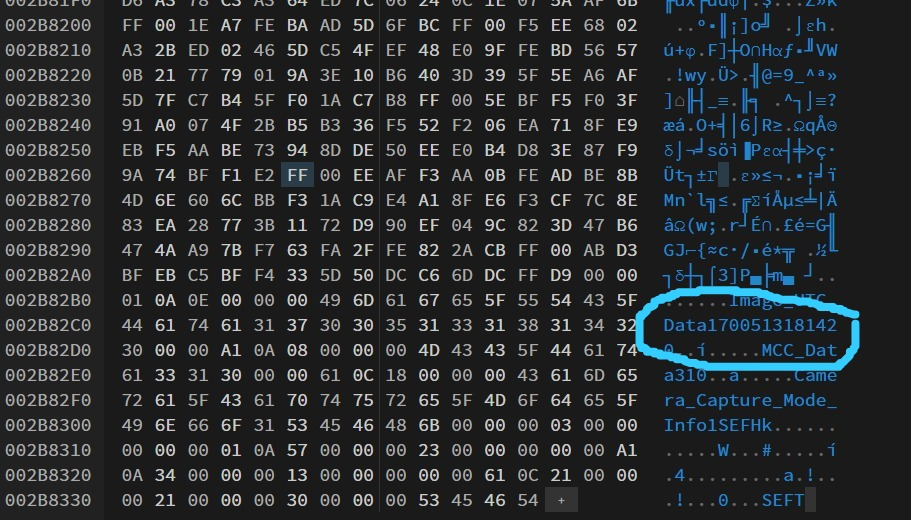
Then, I tried changing it through the hexedit. First, we see
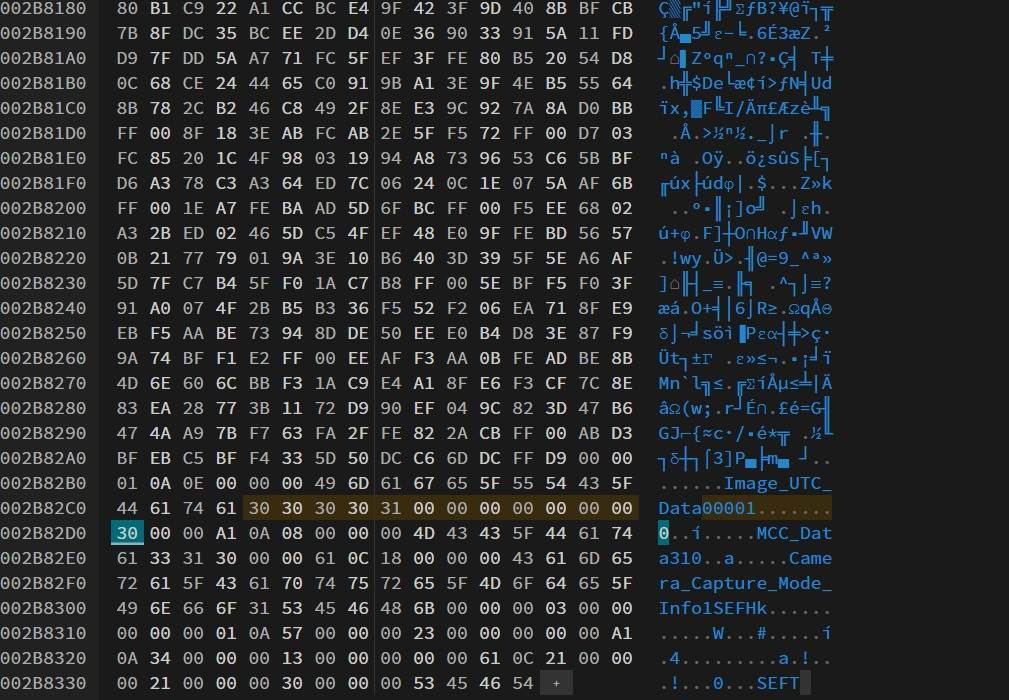
I realised that this date is actually in Epoch Unix Timestamp. So i need to convert the date I want to Unix Timestamp. By changing the timestamp in hexedit to 0001, we can submit it
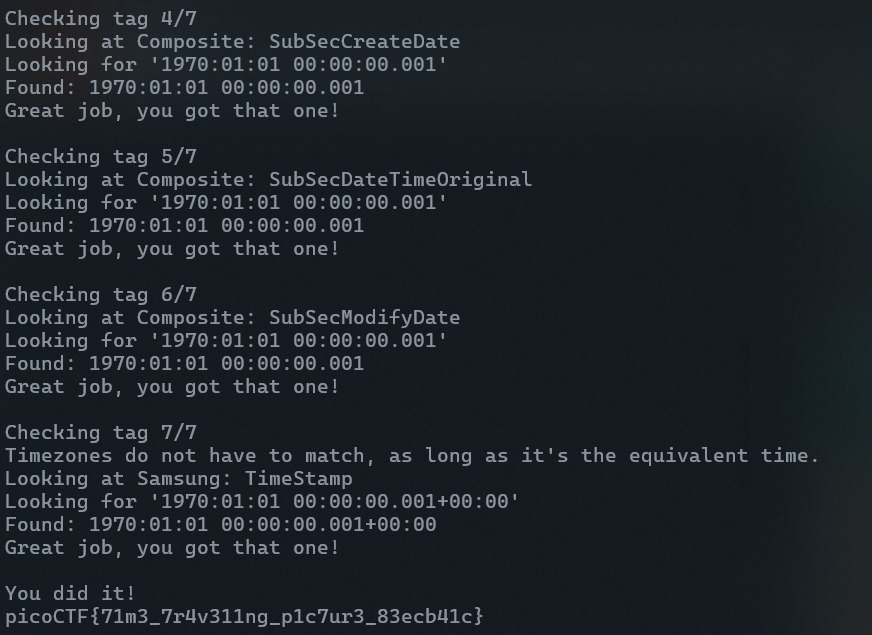
After submitting that, we get
```
picoCTF{71m3_7r4v311ng_p1c7ur3_83ecb41c}
```